Prove who picked up every child — in seconds.
One-time pickup codes, custody-safe checkout alerts, and a fire-drill roll call in under a minute — for martial arts, dance, gymnastics, and after-school programs. Set up in an afternoon, from $29/month. No parent app required.
Explore the full product with sample data — nothing to install.
Built for programs like yours
Pickup is the riskiest 15 minutes of your day
KidTally is pickup-safety and emergency roll-call software for programs with 20–100 kids. It documents who collected each child, warns staff about custody-restricted guardians, and accounts for everyone in a drill — replacing the paper clipboard and the guesswork.
The paper clipboard nobody can read
Sign-out sheets are messy, easy to skip when it's busy, and useless when you need to prove who left with a child months later.
Guessing at the door
Whoever is at the front desk has to decide on the spot whether the adult picking up is actually allowed to take that child.
Custody situations
When a restricted guardian shows up, staff need a clear warning and a recorded reason — not a judgment call made under pressure.
“Could you account for all 34 kids in 60 seconds?”
In a fire drill or lockdown, a paper list and a headcount by memory isn't good enough. You need every child confirmed, fast.
Everything you need for safe handoffs
Four things, done well. Here's how each works.
One-time pickup codes
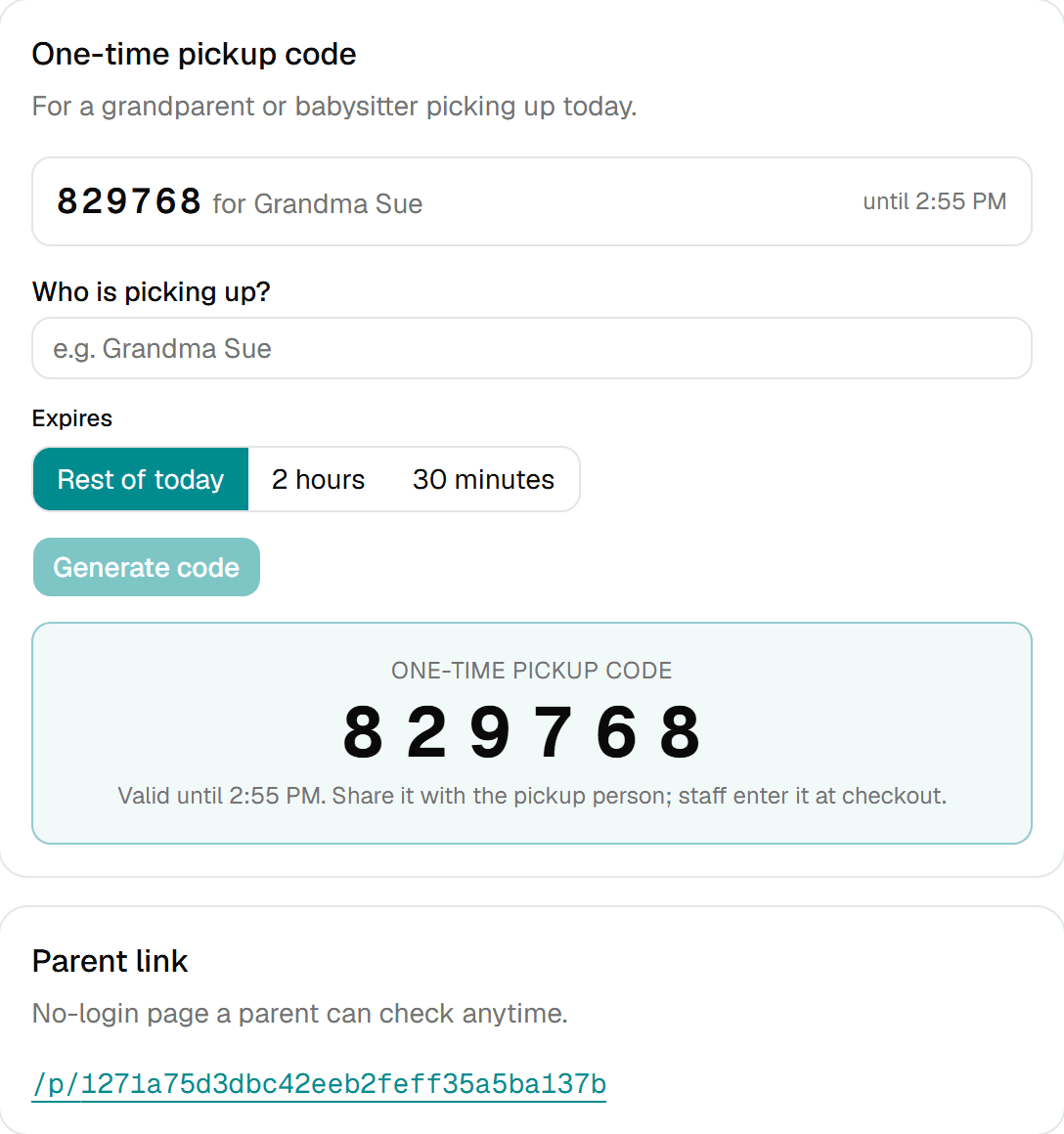
Grandma gets a 6-digit code. No parent app, no account.
Parents (or staff) issue a one-time code for whoever is collecting a child today. Staff verify it at checkout; it works once and expires.
Custody-safe checkout
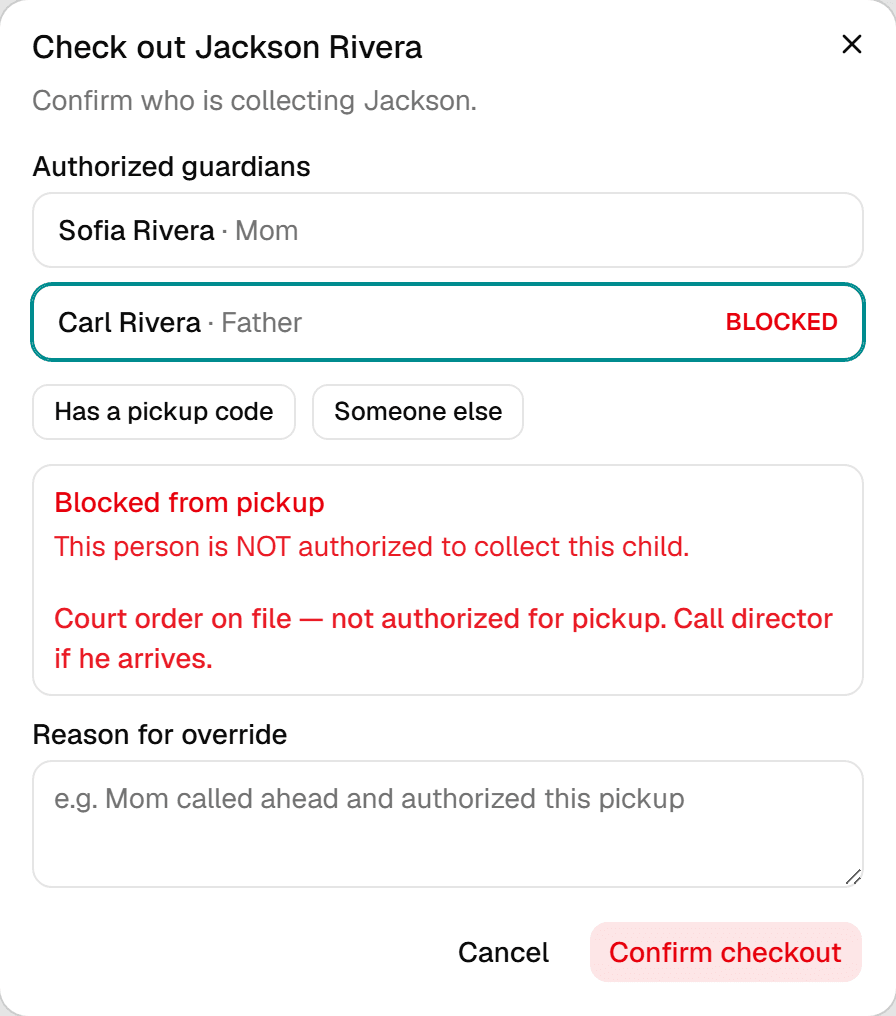
Block or limit the guardians who shouldn't pick up.
A blocked or limited guardian triggers a full-screen warning with the custody notes, and every override is recorded with a reason.
60-second emergency roll call
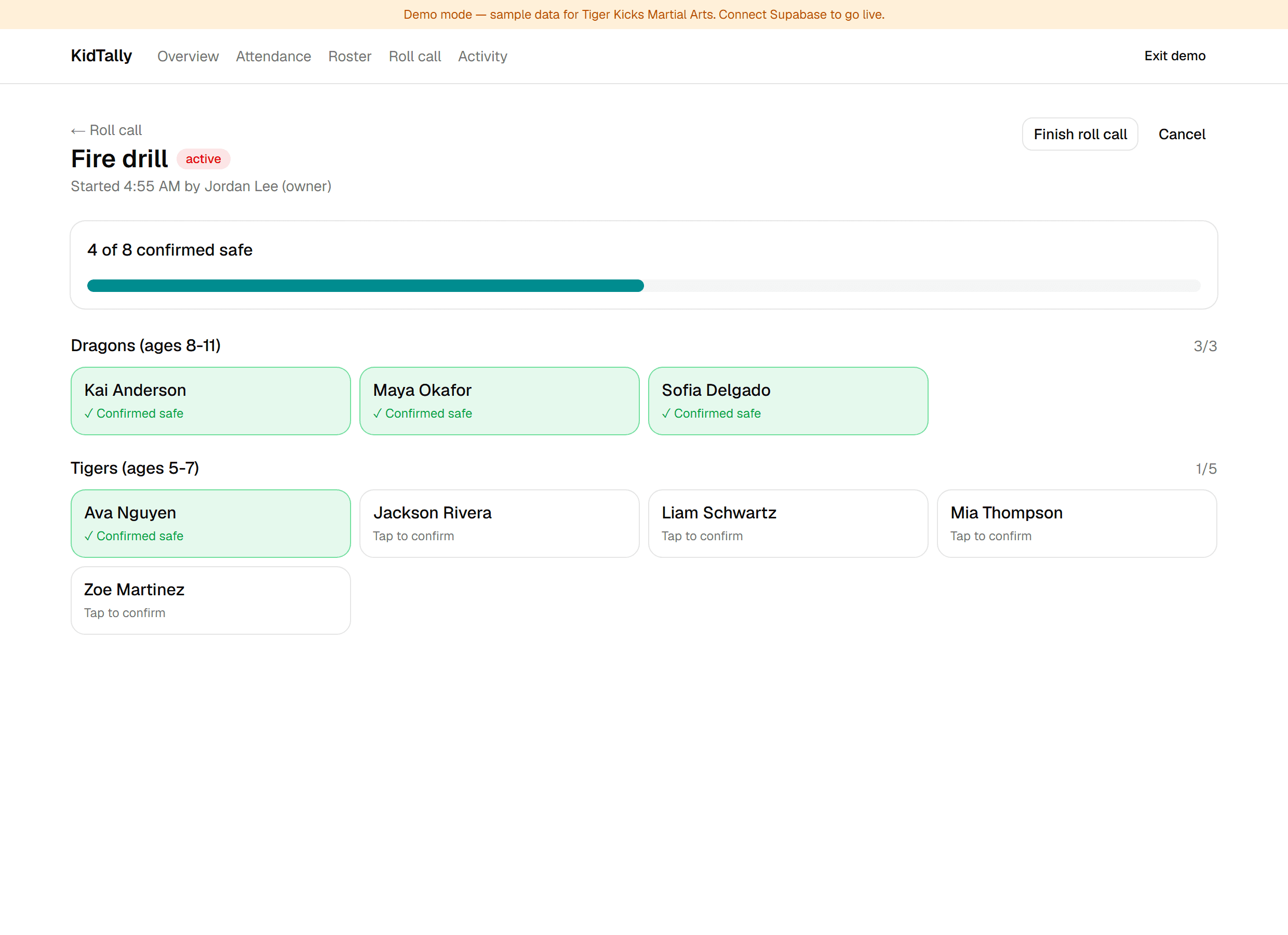
Fire drill or lockdown: one tap, live headcount.
Every staff phone shows their group. Tap to confirm each child and watch the count go green — you can see exactly who's still unaccounted.
No-app parent status & audit exports
Parents check a link. You export the records.
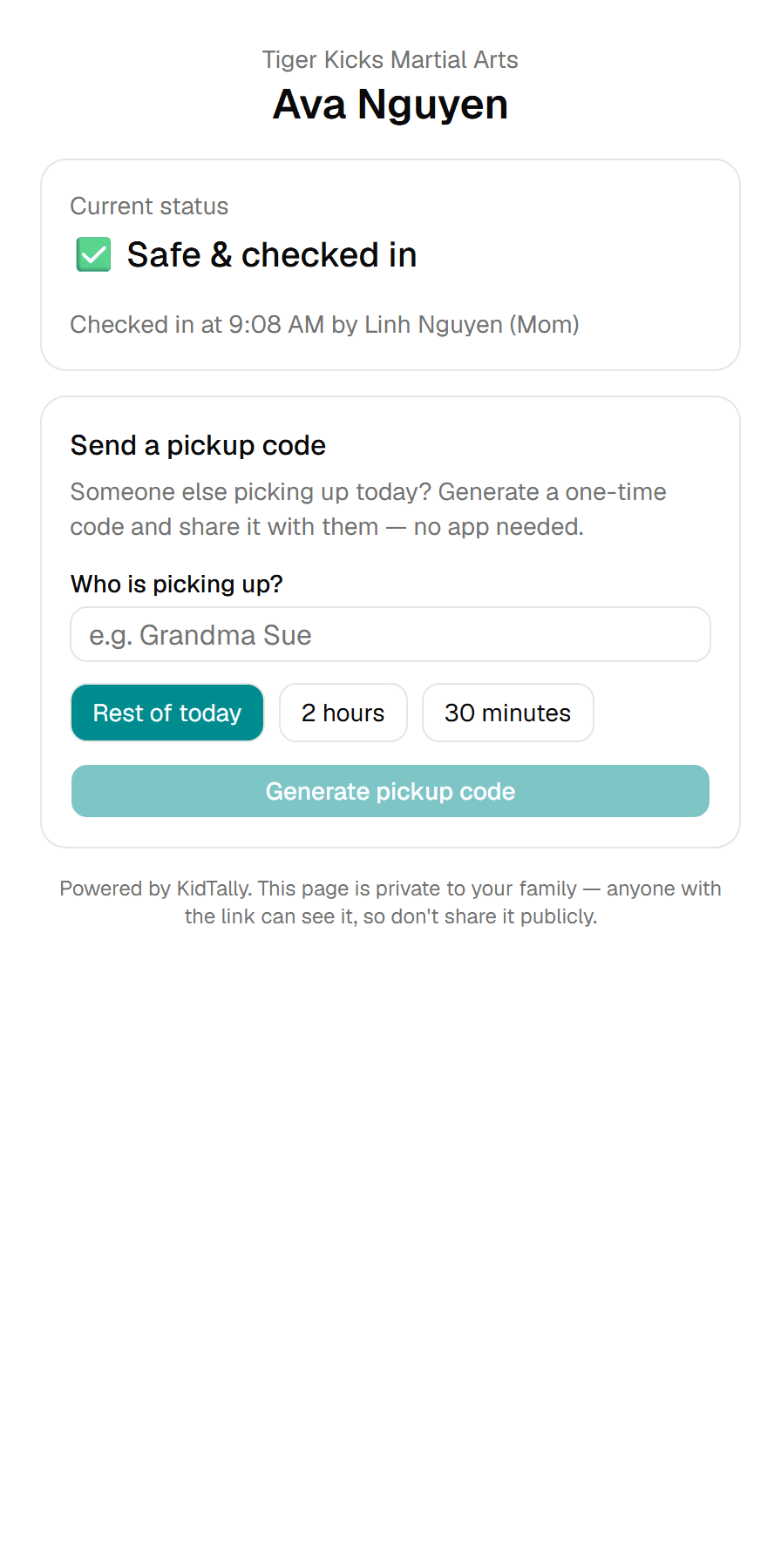
Parents see a private status page — no app, no login. You export attendance and a full audit trail for licensing and disputes.
KidTally documents every pickup and speeds up roll call — it supports your staff's judgment, it doesn't replace it.
Keep the software you already use
KidTallyadds a pickup-safety and roll-call layer on top of your existing tools — it doesn't replace them. Bring your roster over with a CSV import in minutes.
Live in one afternoon
No IT project. No training day.
- 1
Import your roster
Upload a CSV from your spreadsheet or class-management software.
- 2
Set guardians & custody rules
Mark who's authorized, limited, or blocked for each child.
- 3
Go live
Hand out pickup codes and run your first roll call. No training day.
Built with programs like yours
KidTallyis in private beta. We're onboarding a small founding cohort of programs and building this hand-in-hand with the owners and directors who run pickup every day — so it fits how your front desk actually works.
Honest about where we are: early, focused, and listening.
Simple pricing, no contracts
Enterprise pickup and dismissal platforms typically run $2,500–$10,000 per year with setup fees and annual contracts. KidTally starts at $29/month, self-serve, and you can cancel anytime.
Starter
billed annually · $29/mo monthly
A single studio or program up to ~50 kids
Try the live demo- Up to 50 children
- 1 location
- Unlimited staff accounts
- One-time pickup codes & custody-safe checkout
- 60-second emergency roll call
- Email notifications
- Attendance & audit-trail exports
Growth
Most popularbilled annually · $59/mo monthly
Growing programs up to ~150 kids
Try the live demo- Up to 150 children
- Everything in Starter
- SMS notifications included (fair use)
- Late-pickup alerts & automation
- Priority support
Pro
billed annually · $99/mo monthly
Multi-location organizations
Try the live demo- Unlimited children
- Everything in Growth
- Multiple locations
- API & scheduled data exports
- Custom data-retention windows
- Hands-on onboarding
14-day trial. No credit card. No setup fees.
Questions, answered
Do parents need to download an app?
No. Parents never install anything. They receive pickup codes and a private status link by text or email — that's it.
Will KidTally replace my iClassPro or Jackrabbit?
No. It's a safety layer that works alongside your billing and enrollment software. Bring your roster over with a CSV import and keep the tools you already use.
How long does setup really take?
About an afternoon. Import your roster, set your guardians and custody rules, and you're ready to hand out codes and run a roll call. No IT project, no training day.
How do custody or restricted-guardian situations work?
You can mark any guardian as authorized, limited, or blocked and add custody notes. At checkout, a restricted guardian triggers a full-screen warning, and staff must record a reason to override — which is saved to the audit log.
Is our families' data private and secure?
Yes. Data is encrypted in transit and at rest, staff access is role-based, every safety action is written to an immutable audit log, and we never sell family data.
Do I have to pay extra for text messages?
SMS is included on the Growth plan and above (fair use). The Starter plan uses email notifications.
What if the internet or a device fails during a fire drill?
Roll call runs on any staff phone or tablet, so you're not depending on one device. We also recommend keeping a printed roster as a backup — you can export one anytime. The goal is faster, provable accountability, not replacing your emergency plan.
What does the trial include, and do I need a credit card?
The 14-day trial includes all safety features with no credit card and no setup fees. (Signup opens at launch — for now you can explore the full live demo.)
More questions? See the full FAQ.
Ready to know who picked up every child?
Explore the full live demo with a sample program — check kids in, issue a pickup code, and run a roll call.
Try the live demoWe never sell family data.