Pickup safety & roll call for dance studios
KidTally gives dance studios a simple way to document who picks up each dancer. Parents issue a one-time pickup code for a grandparent or carpool driver, staff see a warning at checkout if a guardian is restricted, and one tap runs a full studio roll call in a fire drill. Attendance and audit records export for licensing. Works alongside your class-management software — no parent app.
The pickup problem for dance studios
Recitals and back-to-back classes mean crowded lobbies where it's hard to track which adult left with which dancer.
How KidTally helps
One-time pickup codes
Grandma gets a 6-digit code. No parent app, no account.
Parents (or staff) issue a one-time code for whoever is collecting a child today. Staff verify it at checkout; it works once and expires.
Custody-safe checkout
Block or limit the guardians who shouldn't pick up.
A blocked or limited guardian triggers a full-screen warning with the custody notes, and every override is recorded with a reason.
60-second emergency roll call
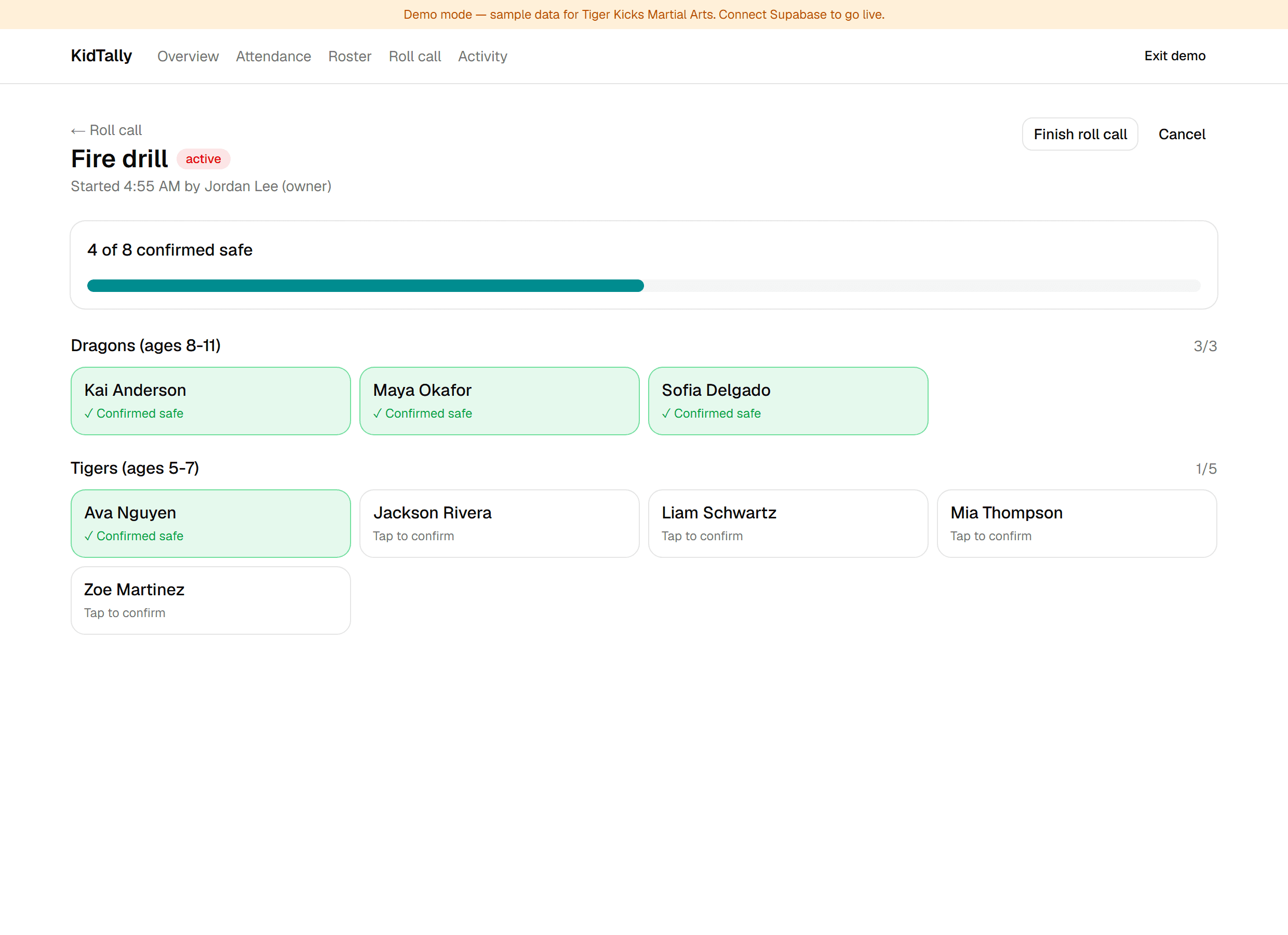
Fire drill or lockdown: one tap, live headcount.
Every staff phone shows their group. Tap to confirm each child and watch the count go green — you can see exactly who's still unaccounted.
No-app parent status & audit exports
Parents check a link. You export the records.
Parents see a private status page — no app, no login. You export attendance and a full audit trail for licensing and disputes.
Dance studios FAQ
Do parents need to download an app?
No. Parents never install anything. They receive pickup codes and a private status link by text or email — that's it.
Will KidTally replace my iClassPro or Jackrabbit?
No. It's a safety layer that works alongside your billing and enrollment software. Bring your roster over with a CSV import and keep the tools you already use.
How long does setup really take?
About an afternoon. Import your roster, set your guardians and custody rules, and you're ready to hand out codes and run a roll call. No IT project, no training day.
How do custody or restricted-guardian situations work?
You can mark any guardian as authorized, limited, or blocked and add custody notes. At checkout, a restricted guardian triggers a full-screen warning, and staff must record a reason to override — which is saved to the audit log.
Is our families' data private and secure?
Yes. Data is encrypted in transit and at rest, staff access is role-based, every safety action is written to an immutable audit log, and we never sell family data.
What does the trial include, and do I need a credit card?
The 14-day trial includes all safety features with no credit card and no setup fees. (Signup opens at launch — for now you can explore the full live demo.)